


A free online qr code creator has become a popular tool for individuals, businesses, and marketers who want to generate QR codes quickly without installing software. Whether you need a QR code for a website link, contact details, payment information, event registration, or product promotion, these online tools make the process simple.
However, many users wonder whether a free online qr code creator is actually secure to use or if these free services create hidden risks. Security is an important concern because QR codes created with a free online qr code creator can store information that directs users to websites, applications, forms, or digital content.
A poorly designed QR code service may expose users to privacy issues, unwanted tracking, malicious links, or data collection practices. Understanding how these tools work and what safety measures to follow can help you use them confidently.
In this guide, we will explore how online QR code generators work, what security risks exist, how to choose a reliable tool, and the best practices for creating safe QR codes.
How Does an Online QR Code Creator Work?
A QR code creator converts information into a visual pattern that can be scanned by smartphones and QR code readers. The pattern contains encoded data that a device can understand and display.
Most QR code generators follow a simple process:
- A user enters information such as a URL, text message, email address, phone number, or payment details.
- The system processes that information and converts it into a QR code format.
- The generated QR code is displayed and can usually be downloaded as an image file.
- Users can print or share the QR code digitally.
A free online qr code creator usually performs this process through a web browser. Since there is no need to download software, users can create QR codes within seconds.
However, the security level depends on how the service handles your information. Some platforms generate QR codes locally inside your browser, while others send your data to their servers for processing.
Are Free Online QR Code Creators Safe?
The answer depends on the specific service you use. Many free QR code generators are safe, but not every website offering QR creation tools follows strong security practices.
A trustworthy QR code generator should protect user data, avoid unnecessary tracking, and clearly explain how information is handled.
For simple information like a public website URL or basic text, the security risk is generally low. However, caution is needed when generating QR codes containing sensitive information.
For example, avoid entering:
- Personal identification details
- Private business information
- Passwords
- Financial information
- Confidential documents
A QR code itself is not dangerous. The risk usually comes from the information stored inside it or the website that users are directed to after scanning.
Common Security Risks of Free QR Code Generators
While many online QR tools are legitimate, some risks should be considered before using them.
Data Collection and Privacy Concerns
Some free services collect information about users who create QR codes. They may record details such as:
- Your IP address
- Browser information
- Usage patterns
- Generated QR code content
Some websites use this information for advertising, analytics, or marketing purposes.
Before using a QR code generator, check whether the website provides a privacy policy. A transparent company should explain what information it collects and how it uses that data.
Malicious QR Code Websites
Cybercriminals sometimes create fake QR code generator websites to trick users. These websites may attempt to:
- Install unwanted software
- Collect personal information
- Redirect users to harmful websites
- Display excessive advertisements
Always verify that you are using a reputable website before creating QR codes.
A professional-looking website does not always mean it is trustworthy. Check reviews, website reputation, and security features before entering any information.
Dynamic QR Code Tracking
Some QR code services offer dynamic QR codes. These codes allow users to change the destination link later and track scanning activity.
Dynamic QR codes can be useful for businesses because they provide analytics such as:
- Number of scans
- Location data
- Device information
- Scan times
However, tracking features may raise privacy concerns. Some free services may collect more user data than expected.
Static QR codes are often safer for simple purposes because they directly store information without requiring ongoing tracking.
Expired or Modified QR Codes
Some free QR services create QR codes that depend on their own servers. If the company shuts down or changes its policies, your QR code may stop working.
For example, a QR code linked through a company's redirect system may become inactive if the service removes the link.
When possible, choose QR codes that directly connect users to the intended destination.
How to Choose a Secure QR Code Creator
Selecting the right tool is the most important step for maintaining security.
Look for HTTPS Security
A secure QR code website should use HTTPS encryption. You can check this by looking for the lock symbol in your browser address bar.
HTTPS helps protect communication between your browser and the website.
Check Privacy Policies
Reliable services explain how they handle user information.
A good privacy policy should answer questions like:
- Does the website store generated QR codes?
- Does it track visitors?
- Does it share information with third parties?
- How long is data stored?
If a website provides no privacy information, it is better to avoid using it.
Avoid Tools That Require Too Much Information
A QR code generator usually does not need your name, phone number, or email address to create a basic QR code.
Be careful with websites that require unnecessary registration before allowing simple QR creation.
A service requesting excessive personal information may not prioritize user privacy.
Check Download Options
A secure QR generator should allow you to download your QR code in common formats such as PNG or SVG.
Be cautious if the website forces you to download unknown software or browser extensions.
A QR code should be available directly without additional installations.
Can QR Codes Created Online Be Hacked?
The QR code image itself cannot usually be hacked because it is simply a visual representation of stored information.
However, attackers can manipulate QR code usage in several ways.
One common method is replacing a legitimate QR code with a fake one. This is known as QR code tampering.
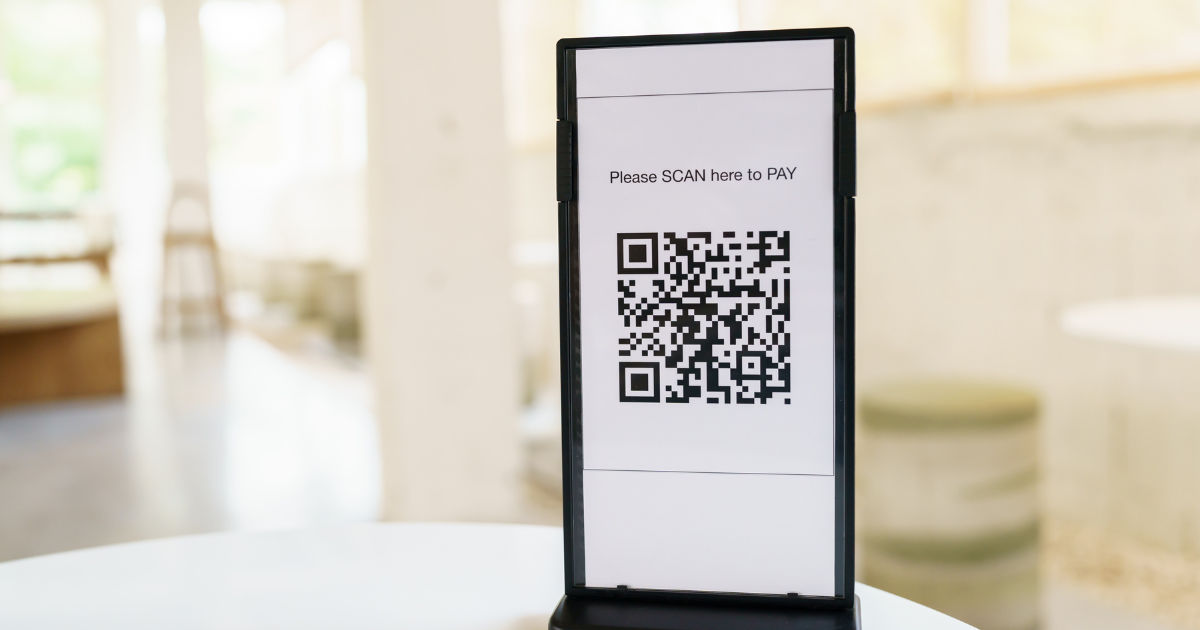
For example, someone may place a fake QR sticker over a restaurant payment QR code. When customers scan it, their payment information may be redirected.
Another risk is creating QR codes that lead to phishing websites. These websites may imitate trusted platforms and attempt to steal login details.
Users should always check the website address after scanning a QR code before entering sensitive information.
Tips for Using QR Codes Safely
Whether you create or scan QR codes, following basic security practices can reduce risks.
Use Trusted QR Code Services
Choose established QR code platforms with positive user feedback and clear security information.
Avoid random websites that appear only for quick QR generation.
Do Not Store Sensitive Data Directly
A QR code can be copied or shared by anyone who sees it.
Avoid storing confidential information directly inside a QR code. Instead, use secure links that require proper authentication.
Test Your QR Code Before Sharing
Always scan your QR code using multiple devices before publishing it.
Check that:
- The correct website opens
- The information displays properly
- No unexpected advertisements appear
- The link is secure
Testing prevents mistakes and protects users.
Keep QR Codes Updated
For business purposes, regularly check whether your QR codes still work correctly.
Broken QR codes can create frustration and damage customer trust.
Benefits of Using a Free Online QR Code Creator
Despite security concerns, online QR tools provide many advantages.
Quick and Convenient
Users can create QR codes within seconds without technical skills.
This makes them useful for:
- Small businesses
- Teachers
- Event organizers
- Marketing campaigns
- Personal projects
Cost Effective
Free QR generators allow individuals and small companies to create useful digital tools without additional expenses.
Easy Sharing
Generated QR codes can be downloaded, printed, emailed, or added to websites and advertisements.
No Software Installation
Browser-based QR tools remove the need for additional applications, saving storage space and reducing installation risks.
Free vs Paid QR Code Generators
Many users wonder whether paid QR code services are safer than free options.
Paid services often provide additional features such as:
- Advanced analytics
- Brand customization
- Team management
- Customer support
- Dynamic QR management
However, paying does not automatically guarantee security.
A free service with strong privacy practices may be safer than a paid service with poor data handling.
The key factors are security features, transparency, and reputation.
Who Should Use Free QR Code Generators?
Free QR tools are suitable for many everyday situations.
They work well for:
- Personal websites
- Social media links
- Digital invitations
- Educational materials
- Basic business promotions
However, organizations handling sensitive customer information should carefully evaluate security requirements before choosing a QR platform.
Businesses dealing with payments, customer accounts, or confidential information may benefit from professional QR solutions with stronger security controls.
Future of QR Code Security
QR codes continue to grow in popularity because smartphones make scanning easy. As more industries adopt QR technology, security will become increasingly important.
Future QR solutions may include:
- Stronger encryption
- Better identity verification
- Improved anti-fraud protection
- More privacy-focused designs
Users and businesses will need to stay aware of potential threats while enjoying the convenience of QR technology.
Conclusion
A free online qr code creator can be secure to use when you choose a reliable service and follow proper safety practices. These tools are convenient, affordable, and useful for creating QR codes for websites, promotions, events, and personal projects.
The main security risks do not come from the QR code itself but from how the information is stored, shared, and managed. Privacy concerns, malicious websites, tracking features, and fake QR codes are the biggest issues users should understand.
Before using any QR generator, check website security, review privacy policies, avoid entering sensitive information, and test your QR codes carefully. By following these simple steps, you can enjoy the benefits of QR technology while reducing unnecessary risks.
QR codes are powerful digital tools, and when created through a trustworthy free online qr code creator, they can provide a safe and efficient way to connect people with information.




Leave a Reply